iCode Workbench · Desktop ADE

A control room for a team of coding agents.

iCode Workbench is the universal ADE: every agent, every platform, one workbench. Run Claude Code, Codex, and OpenCode in parallel, each in its own Git worktree. Queue durable tasks, review changes where the agent worked, and keep terminals alive when the app restarts — while Mira watches every repository and tells you what needs you.

Pre-1.0 · Linux (WSL2/WSLg) · Windows x64 · macOS x64 / arm64

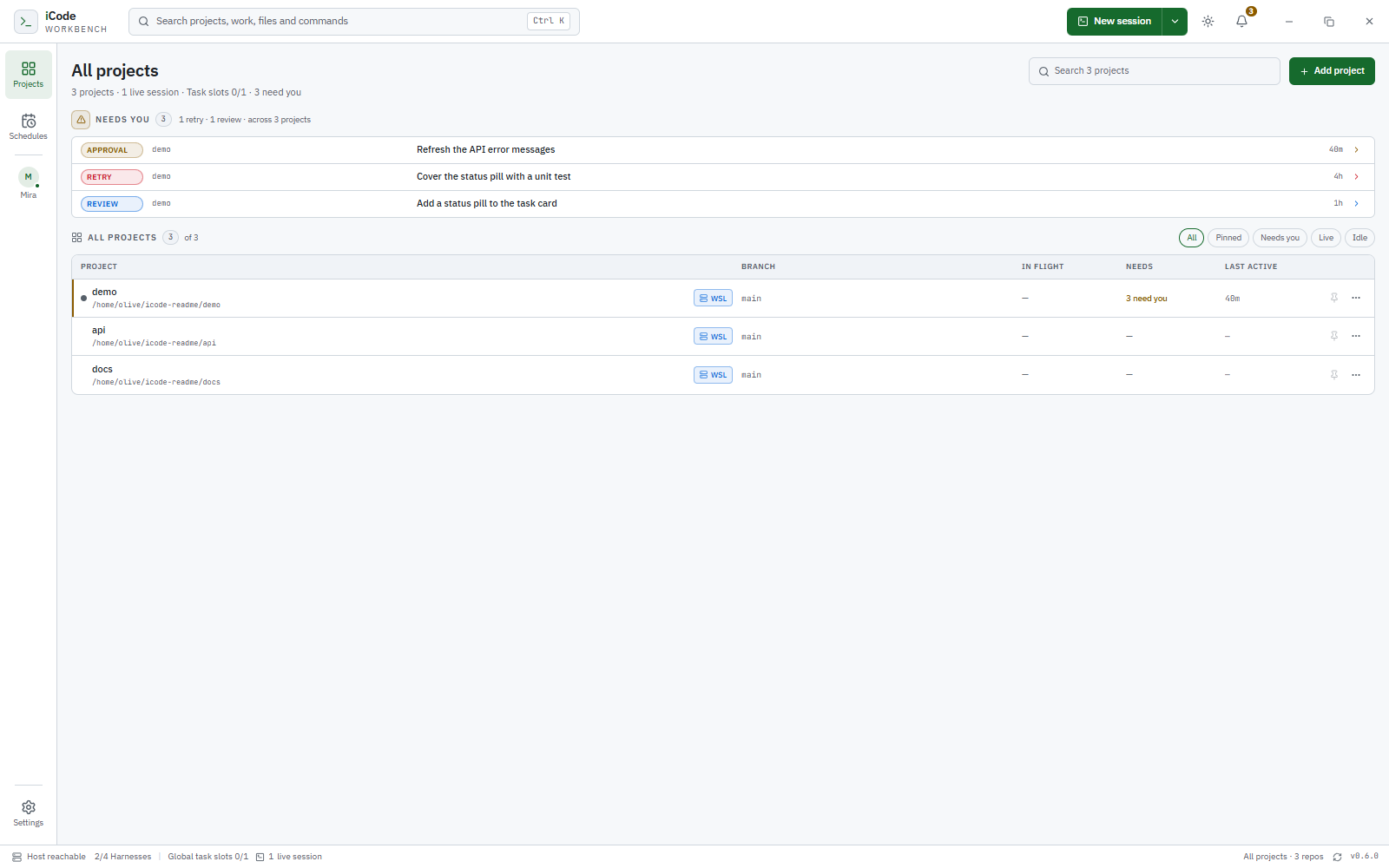
The iCode Workbench All projects wall showing in-flight sessions, items that need attention, and last activity across three projects
The Projects wall separates what is in flight, what needs you, and when each project was last active.

The workbench

One environment, from first prompt to reviewed change.

Portfolio

One wall for every project.

Each row separates live direct sessions and queued tasks, the items that need a person, and real last-activity timestamps. Filter by Needs you, Live, or Idle, pin projects, and open a waiting task or session directly from the attention list.

Isolation

Every session gets its own worktree.

A new session starts on its own branch at the current HEAD, so two agents in the same repository never edit the same checkout. Sleep a direct session to stop the process while keeping the checkout and resume token; wake it to continue where the harness supports it.

Terminals

The process outlives the window.

A detached host owns the PTYs, terminal emulation, and exit truth. Closing the window or quitting the app does not stop a live session; reopening reattaches to the same PTY with its scrollback and alternate-screen state intact.

Tasks

Durable work, not terminal tabs.

Queue tasks with a global 1–4 slot limit. They move through queued, dispatching, running, waiting, completed, failed, and cancelled. A retry is a new attempt; a review decision is separate from process exit. Schedules create ordinary queued tasks on a cadence.

Review

Review where the agent worked.

Source Control is scoped to the session checkout: changes against the task baseline, staged and untracked files, inline diffs, line notes sent back to the agent, and commit, amend, push, history, cherry-pick, revert, or reset.

Editing

Edit in the same checkout.

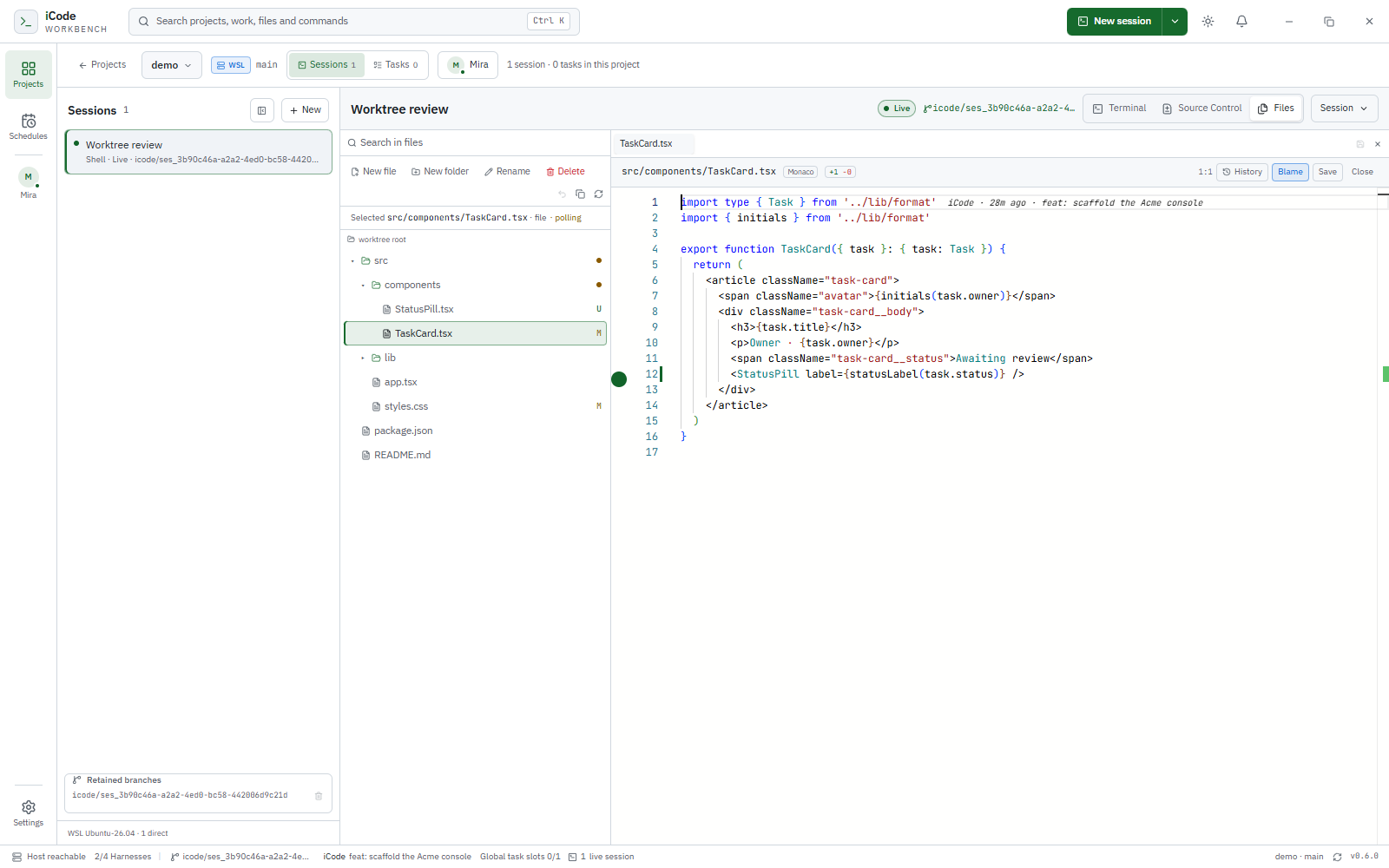
Open Files beside the terminal and work in the same worktree the agent is editing. Explore, rename, duplicate, move, and search; Monaco adds editing, quick diffs against HEAD, inline blame, and file history.

Mira · Cross-project assistant

She watches all of it. You keep the decisions.

Mira is a person item in the rail — Projects · Schedules ┊ Mira ┊ Settings — with an avatar, live status, and an unread badge. One conversation spans every repository, and her answers come from the real projects, tasks, sessions, diffs, and review state.

  • She can act. Through validated actions she creates, cancels, retries, and archives tasks, messages task sessions and project supervisors, and records non-binding review recommendations.
  • She is bounded. She has no shell and no project working directory. She cannot approve a proposal, decide a review, merge, push, or edit project code.
  • She comes to you. Approvals, failures, waiting tasks, and review-ready work become proactive messages with a rail badge and an OS notification when no window is focused. Deduplication, an hourly budget, and quiet hours keep it from becoming noise.
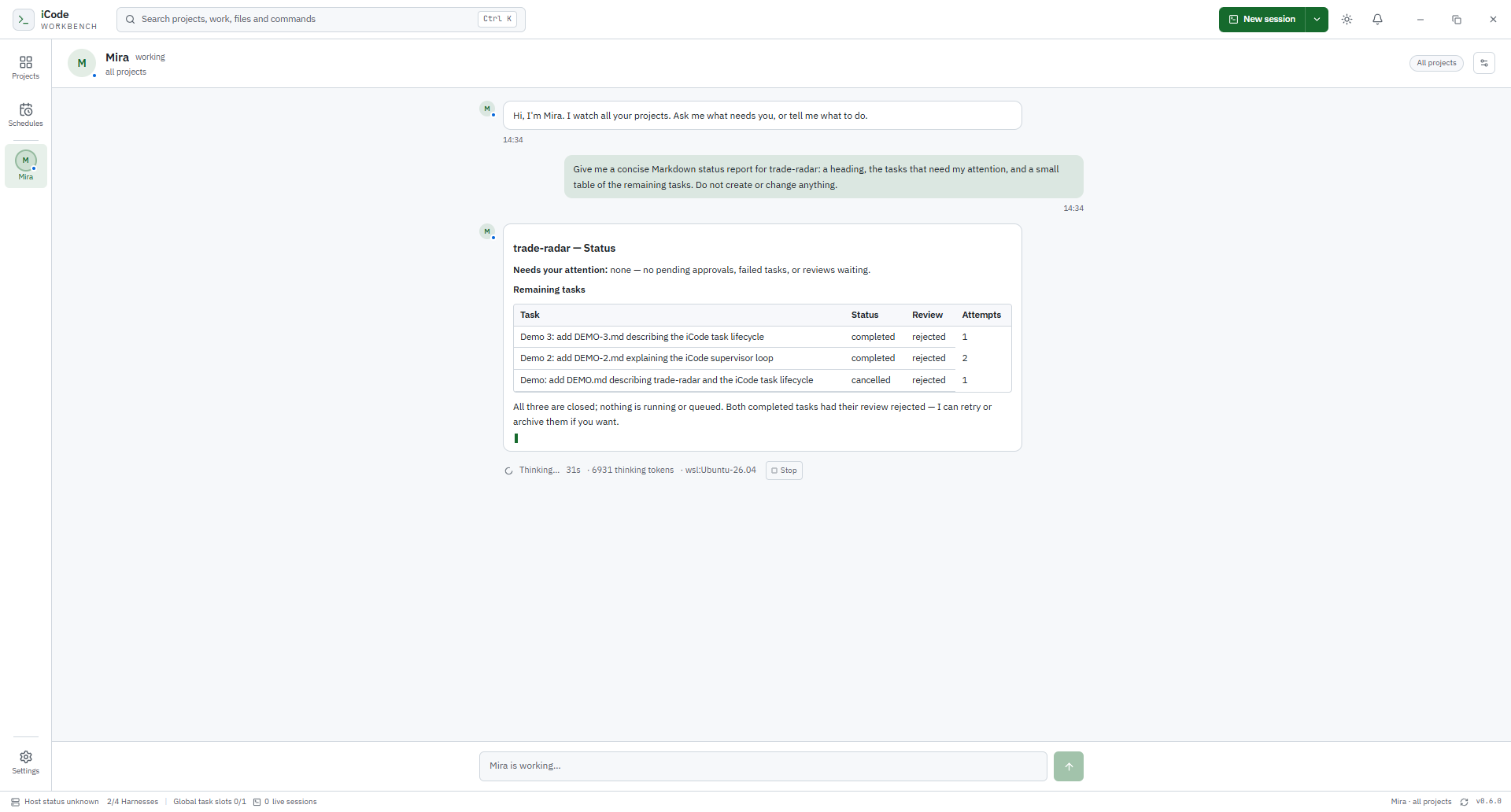
Mira streaming a Markdown status report with a task table, live thinking-token count, and a Stop button
Mira streams a Markdown status report across projects while the run line shows the harness stage, elapsed time, and thinking tokens.

In practice

See the task, then see the change.

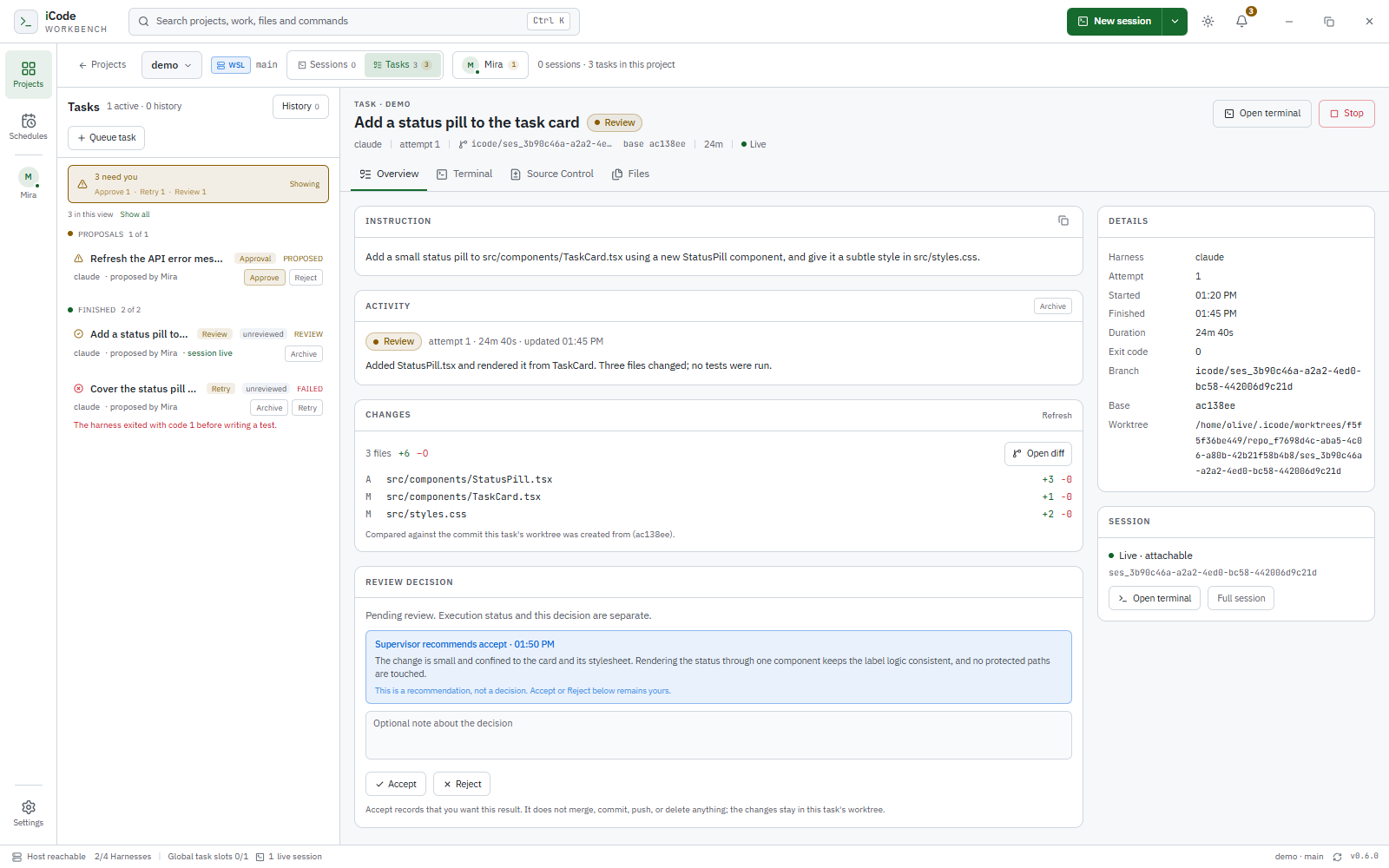
The task workbench showing a review-pending task with a live session, changes against its baseline, and a review recommendation
The task workbench: the instruction, the live session, the changes, and a review decision.
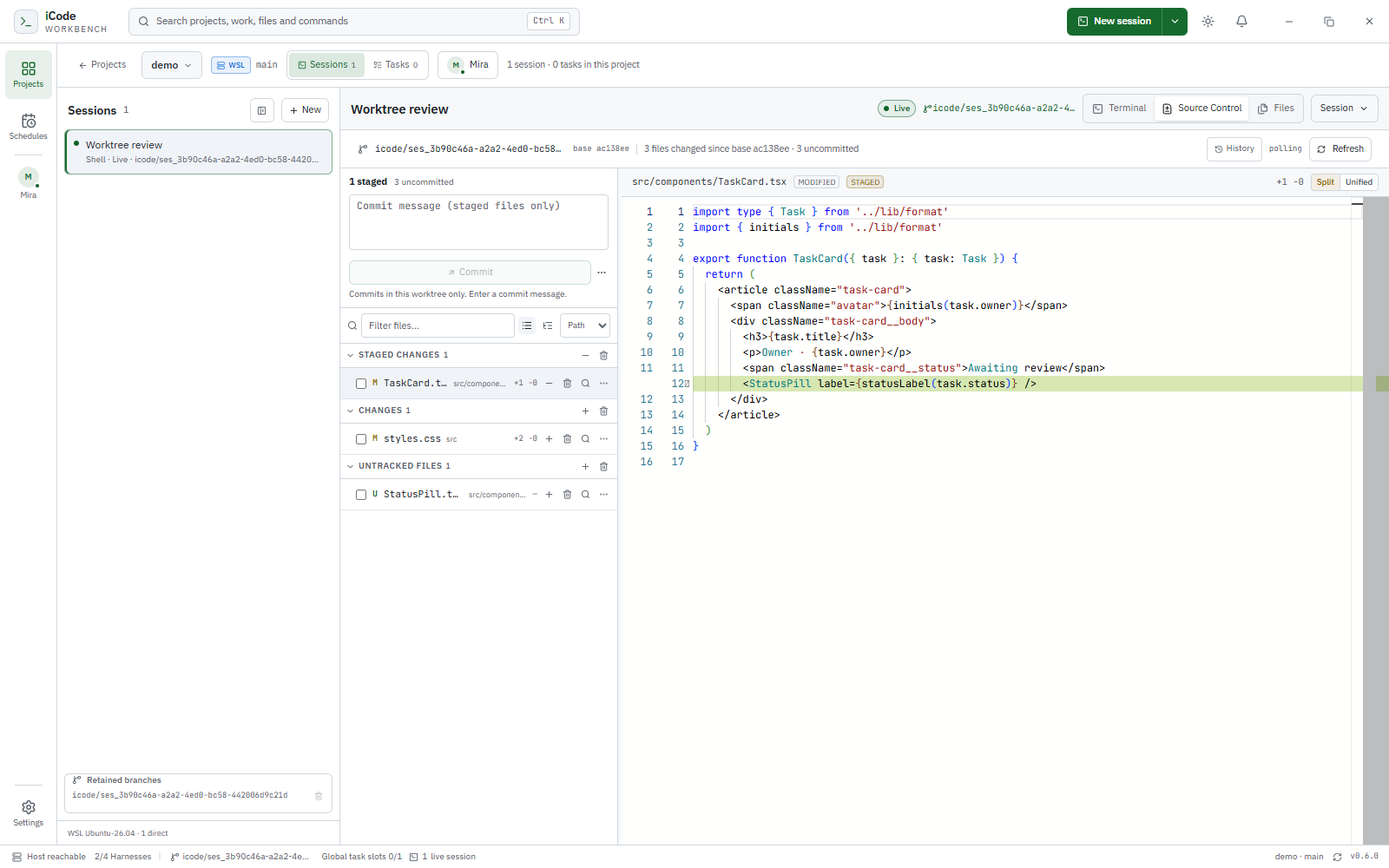
Source Control inside a session, showing staged and untracked changes with an inline diff
Source Control in the session worktree: stage, review, and commit without leaving the app.

Deeper in the workbench

Terminal and editor, in the same checkout.

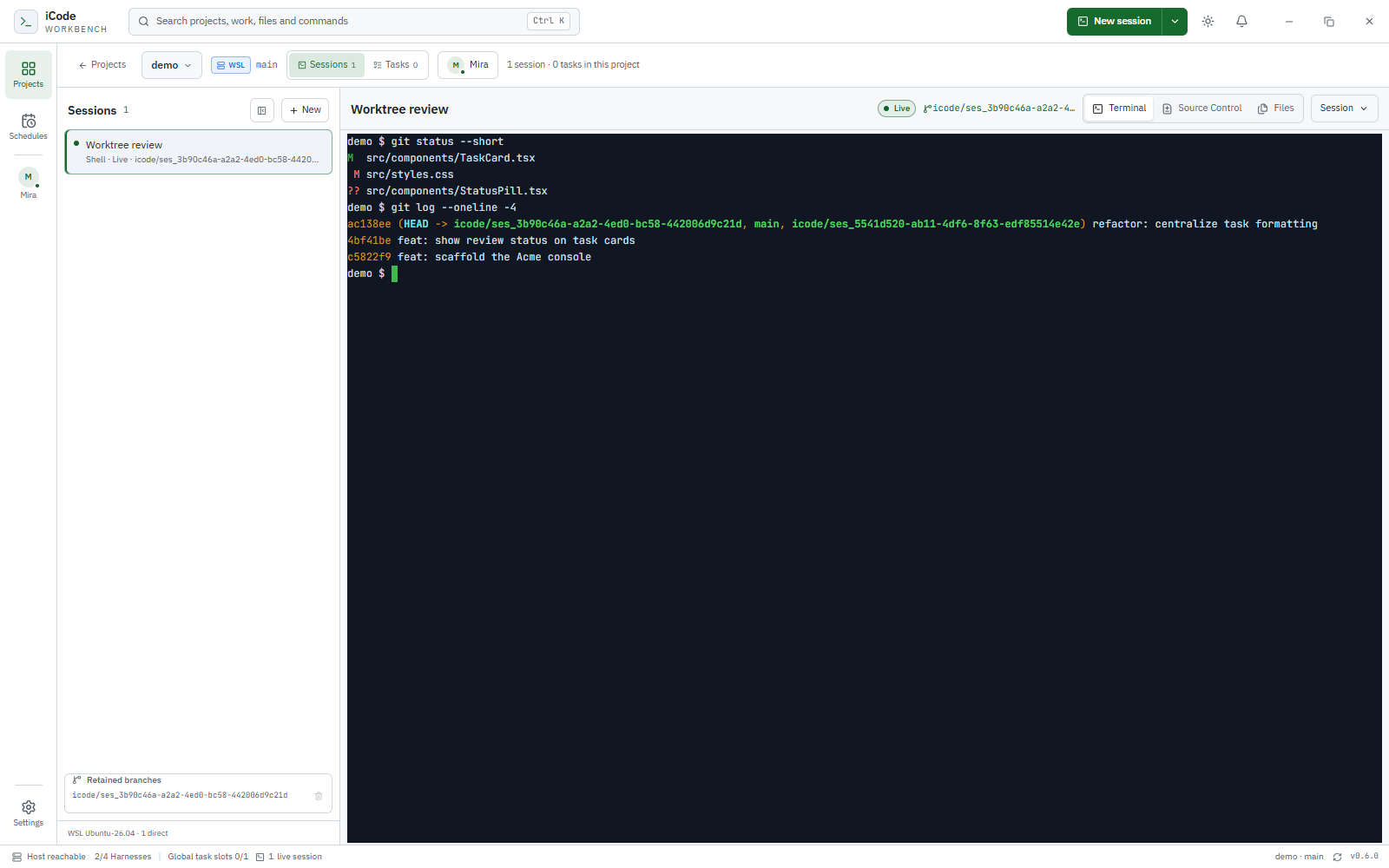
A real shell session in its worktree, showing git status and recent commits
A real PTY in the session worktree; the detached host keeps it alive. The terminal keeps its own dark palette in both appearances.
The Files panel with a worktree explorer and Monaco editor open on a TypeScript component
Files and Monaco beside the terminal, in the same worktree.

Availability

Early access, before 1.0.

iCode Workbench is pre-1.0 and in early access. The source is public under AGPL-3.0-only; CI produces Linux x64, Windows x64, and macOS x64 / arm64 packages, but signed installers are not published yet. Build from source for now. A modified version offered to users over a network must provide them the corresponding source.

Build from source. Requirements: Node 24.x (the repository pins 24.15.0), Corepack with pnpm 11.16.0, Git, and at least one harness on PATH. Linux also needs build-essential and python3; macOS needs Xcode Command Line Tools.

git clone https://github.com/icodehq/icode-workbench.git
cd icode-workbench
corepack enable
pnpm install
pnpm dev

Then choose Add project, start a session, queue a task, or open Mira and ask what needs you.

Packaging details and platform notes are in the repository README. For the publicly available terminal agent, see iCode Agent.

Current limits, deliberately stated.

  • Session activity is reported by Claude Code today; Codex, OpenCode, and shell sessions stay unknown.
  • Mira’s streamed Markdown reply is Claude Code only. Codex and OpenCode show run stages and the final reply.
  • Tasks are supervised, not autonomous: a permission prompt still waits for a person.
  • Schedules are in-process timers and need iCode Workbench running.
  • Source Control is worktree-scoped; it does not manage stashes, tags, submodules, or arbitrary branch checkouts.